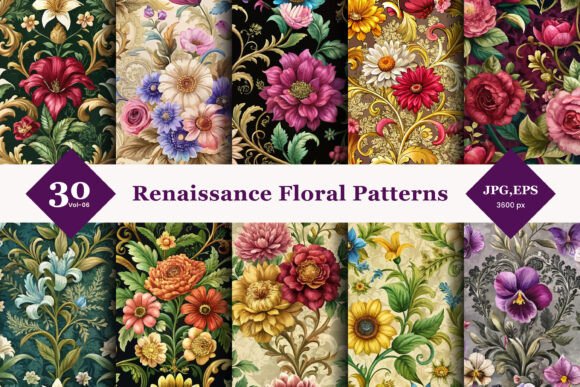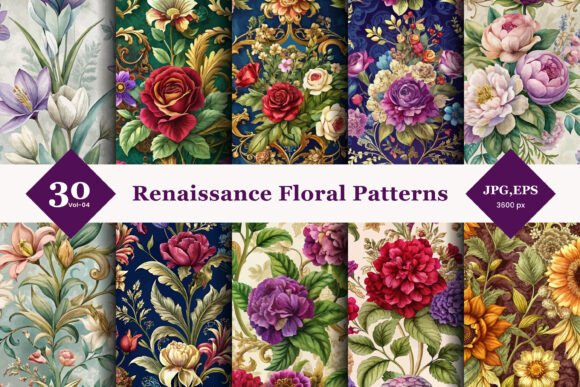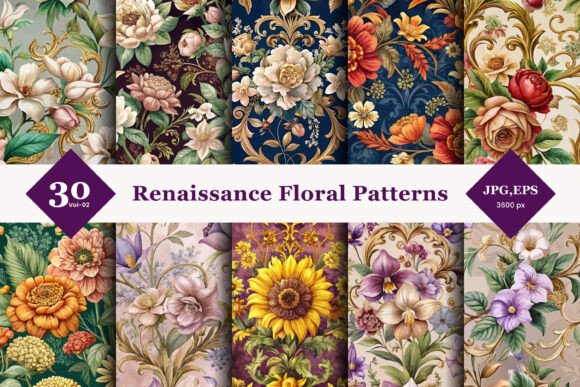
Renaissance Floral Seamless Patterns 02
Incorporating historical elegance into modern design projects requires more than just finding a pretty image; it demands an understanding of context, resolution, and technical compatibility. Renaissance Floral Seamless Patterns 02 offers a curated collection of 30 distinct designs that bridge the gap between classical artistry and contemporary digital needs. For designers, entrepreneurs, and hobbyists alike, these patterns serve as a versatile toolkit for adding sophistication to everything from high-end fashion textiles to digital marketing assets.
However, simply downloading a pattern file is not enough to guarantee a successful project. Many creators overlook critical details regarding file formats, licensing, and application techniques, leading to pixelated prints or inconsistent branding. This guide explores how to leverage this collection effectively while avoiding common pitfalls that can compromise the quality of your final output.
Understanding the Value of Renaissance Floral Motifs
The Renaissance era was defined by a renewed interest in classical antiquity, humanism, and detailed observation of nature. Floral motifs from this period are characterized by their intricate detailing, balanced composition, and rich symbolism. When you use Renaissance Floral Seamless Patterns 02, you are not just applying a texture; you are invoking a sense of heritage, luxury, and timelessness.
These patterns are particularly effective for:
- Fashion Design: Creating elegant fabrics for dresses, scarves, or accessories.
- Interior Decor: Designing wallpapers, upholstery, or decorative pillows.
- Packaging: Adding a premium feel to product boxes and labels.
- Digital Art: Enhancing websites, social media graphics, or e-book covers.
By choosing a seamless pattern, you ensure that the design repeats flawlessly, allowing for continuous coverage without visible breaks. This is essential for large-scale applications like fabric printing or full-page web backgrounds.
Common Mistakes When Using Digital Patterns
Even with high-quality assets like the 30 JPG and EPS files included in this collection, errors in preparation can ruin the final result. Here are the most frequent issues creators encounter and how to correct them.
Ignoring Resolution Requirements
A prevalent mistake is assuming that all screens and printers handle images equally. While the provided JPG files are high-resolution at 300 DPI (dots per inch), this specification is primarily intended for print. If you plan to use these patterns on a website or a mobile app, loading 300 DPI images will unnecessarily bloat your file size, slowing down page load times and hurting user experience.
Better Approach: Always assess the end medium before exporting. For print materials, keep the original 300 DPI files. For web use, resize the images to the exact dimensions needed and compress them using tools like TinyPNG or ImageOptim to reduce file weight without sacrificing visible quality.
Confusing Raster and Vector Formats
The collection includes both JPG (raster) and EPS (vector) files. A common error is attempting to upscale a JPG file to fit a billboard or a large banner. Because JPGs are made of pixels, enlarging them beyond their original dimensions results in blockiness and blurriness. Conversely, some users try to edit complex vector paths in raster-based software, leading to performance lag and loss of precision.
Better Approach: Use the EPS vector files when you need to scale the design to any size without quality loss. These are ideal for logos, large-format prints, or when you need to edit specific elements of the floral motif. Reserve the JPG files for quick placement where no further editing or scaling is required.
Neglecting Color Profile Management
Digital screens use RGB color models, while professional printers use CMYK. A pattern that looks vibrant on your monitor may appear dull or muddy when printed if the color profiles are not converted correctly. Additionally, ignoring the bleed area in print design can result in unwanted white edges around your seamless pattern.
Better Approach: Always work in the correct color mode for your final output. If printing, convert your EPS or JPG files to CMYK before sending them to the press. Ensure your document settings include a 0.125-inch to 0.25-inch bleed margin to accommodate cutting variances.
Maximizing Usability Across Platforms
To get the most out of Renaissance Floral Seamless Patterns 02, consider how these assets integrate into your existing workflow. The inclusion of both EPS and JPG formats ensures compatibility across various design platforms, from Adobe Illustrator and Photoshop to Canva and Affinity Designer.
For Fashion and Textile Designers
When designing textiles, the repeat type of the seamless pattern is crucial. Check the tile boundaries in your software to ensure the floral elements flow naturally from one edge to the next. If a flower is cut off at the right edge, it should reappear seamlessly on the left. Most professional design software has a "pattern brush" or "tiling" feature that allows you to preview the repeat instantly.
For Digital Marketers and Bloggers
Use these patterns as subtle backgrounds to enhance readability rather than overwhelming the content. A light overlay of the floral pattern behind text can add texture and brand identity without distracting the reader. Ensure there is sufficient contrast between the text and the background to maintain accessibility standards.
For Crafters and Small Business Owners
If you are creating physical products like greeting cards or stickers, the high-resolution JPGs are perfect for direct printing. However, always order a proof sample first. Colors on home printers or small-batch print services can vary significantly from screen previews. Testing a single item helps you adjust ink levels or paper types before committing to a larger run.
Final Checklist Before You Start
Before diving into your creative process, take a moment to verify the following:
- File Integrity: Ensure all 30 patterns downloaded successfully and open without errors.
- Licensing Terms: Review the license agreement to understand allowed uses. Most personal and commercial licenses allow for end-product sales but prohibit reselling the raw digital files themselves.
- Software Compatibility: Confirm that your design software supports the specific version of EPS or JPG format provided.
- Project Scale: Determine whether you need vector scalability (EPS) or quick deployment (JPG).
By paying attention to these technical details, you ensure that the elegance of the Renaissance era translates perfectly into your modern projects. Renaissance Floral Seamless Patterns 02 provides the artistic foundation; your careful execution provides the success. Whether you are a seasoned professional or a beginner exploring design for the first time, these resources offer a reliable path to creating visually stunning and historically inspired work.